
A tour of the app
Get to know the app from the inside.
Ruwell is organised into ten sections, and each one answers a question about your money. On every screen, the numbers show you where to look. The app is in Spanish.
-
Home
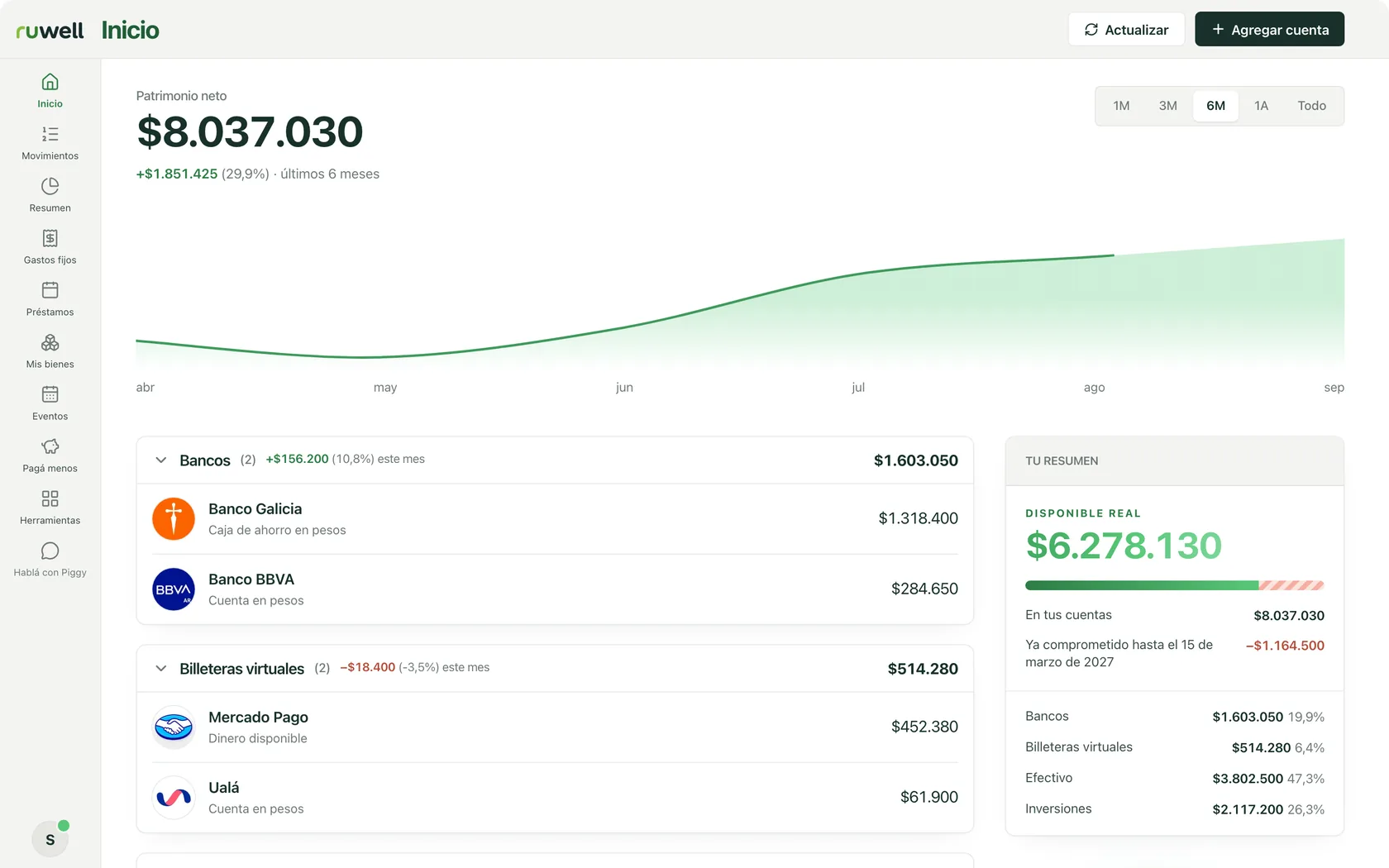
How much do I have, and how much can I spend?
- Net worth. Everything you have, added up, and how it is trending month by month.
- Your accounts. Banks, wallets, cash and investments, grouped by type.
- Really available. What is truly yours, once what is already committed is taken out.
-
Transactions
What came in and what went out?
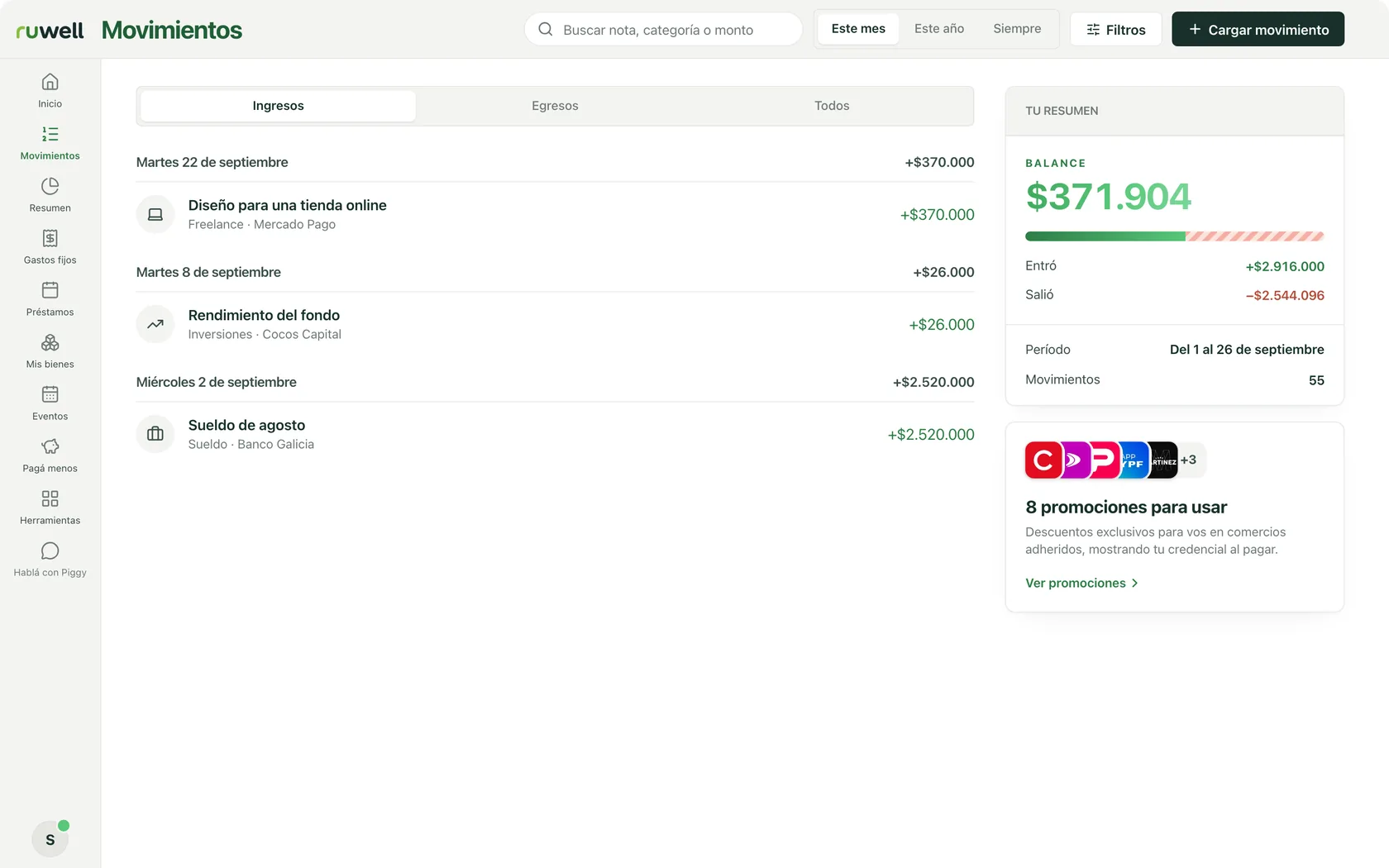
Income
- What came in. Salary, jobs and returns, day by day.
- Where it came from. The category and the account each one landed in.
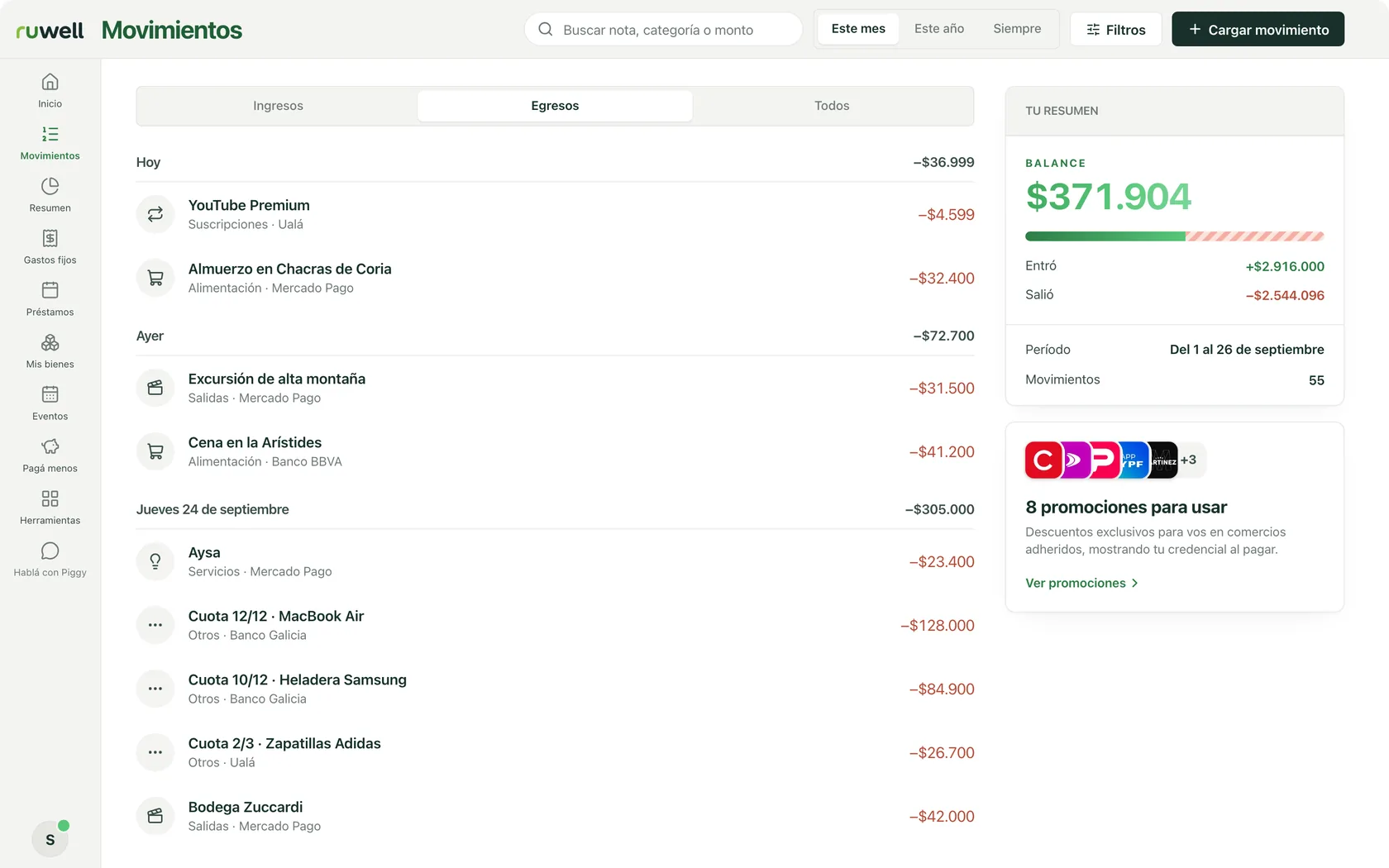
Outgoings
- What went out. Grouped by day, with each day’s total.
- Instalments, numbered. 12/12, 10/12: you know which one you are paying.
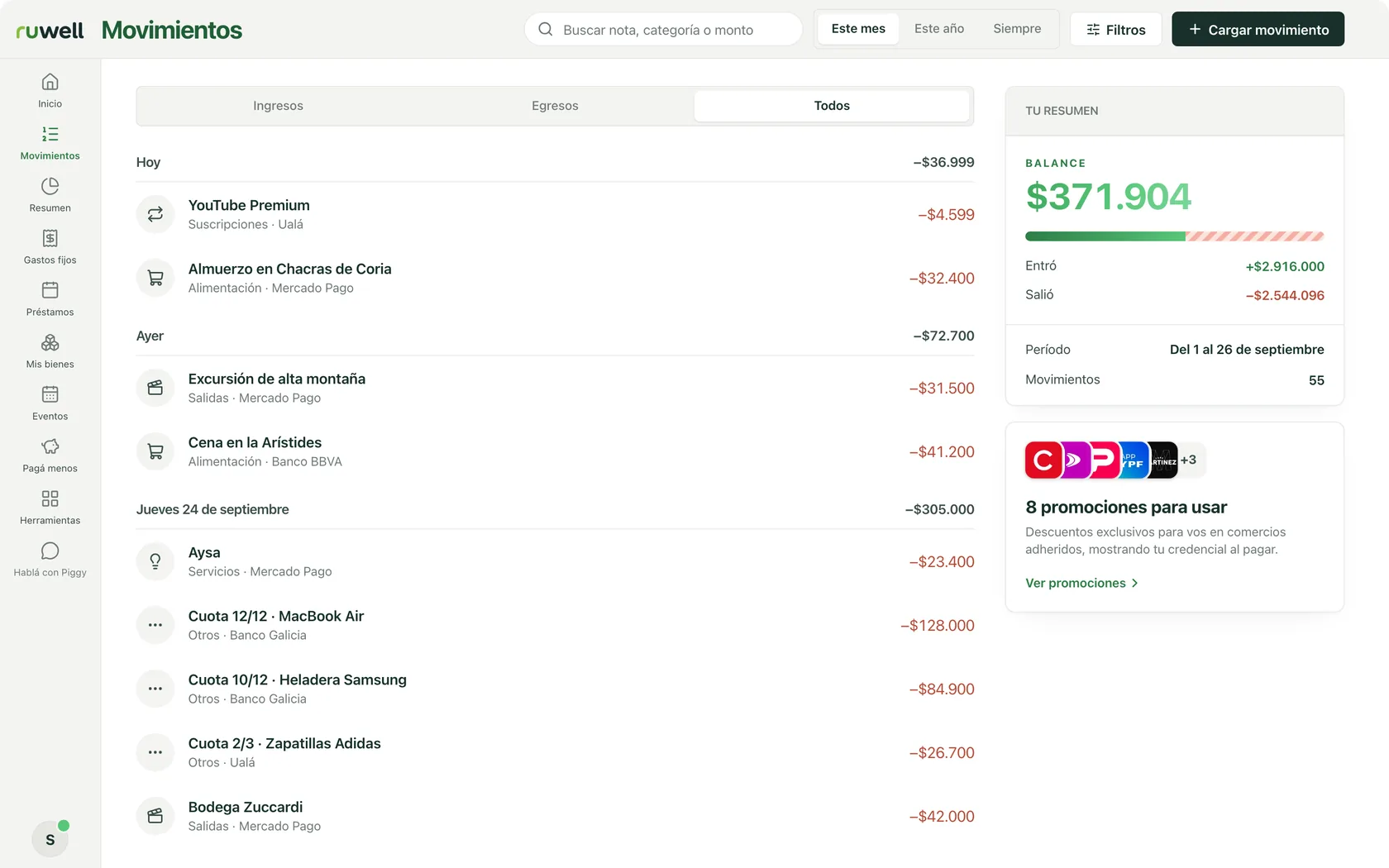
All
- Search and filters. By note, category or amount, over the period you choose.
- Balance. How much came in and how much went out in the period you are looking at.
-
Summary
Where does my money go?
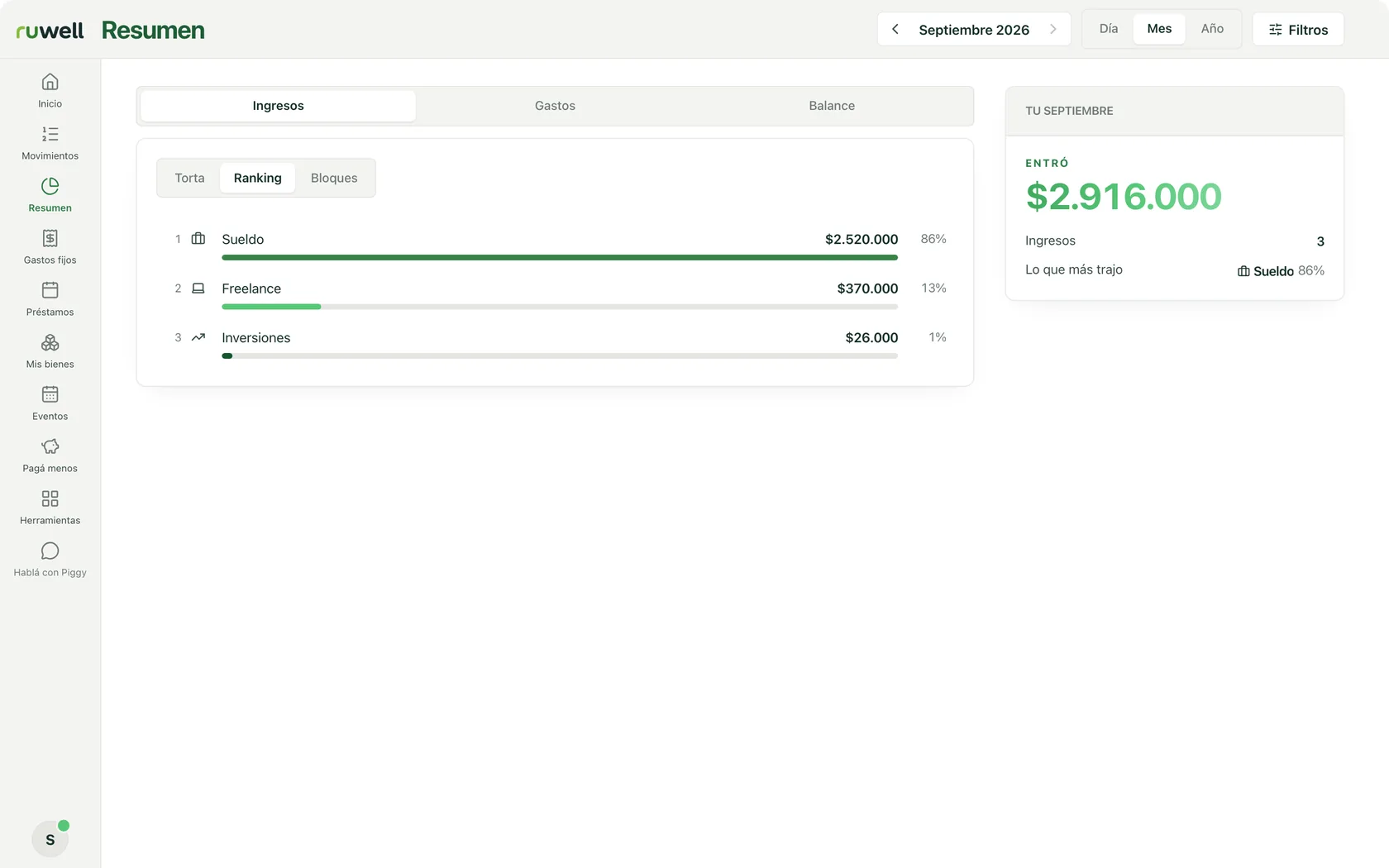
Income
- Ranking. Where the month’s money came from, largest first.
- Top source. And what share of the total it is.
Expenses
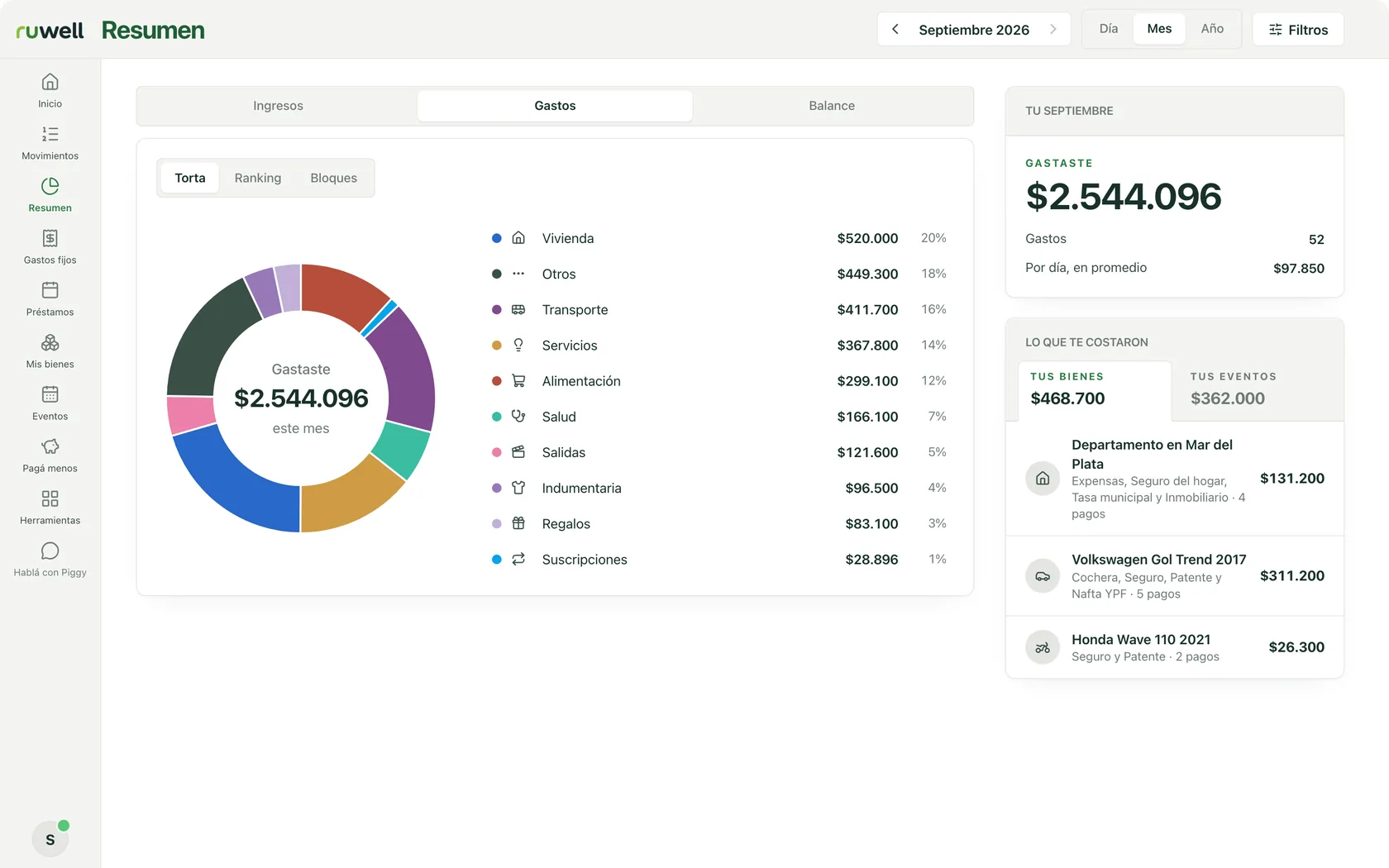
- Three views. The month as a pie chart, a ranking or blocks.
- By category. How much you spent on each one, and what share of the total it is.
- What they cost you. Your assets and your events, apart from everything else.
Balance
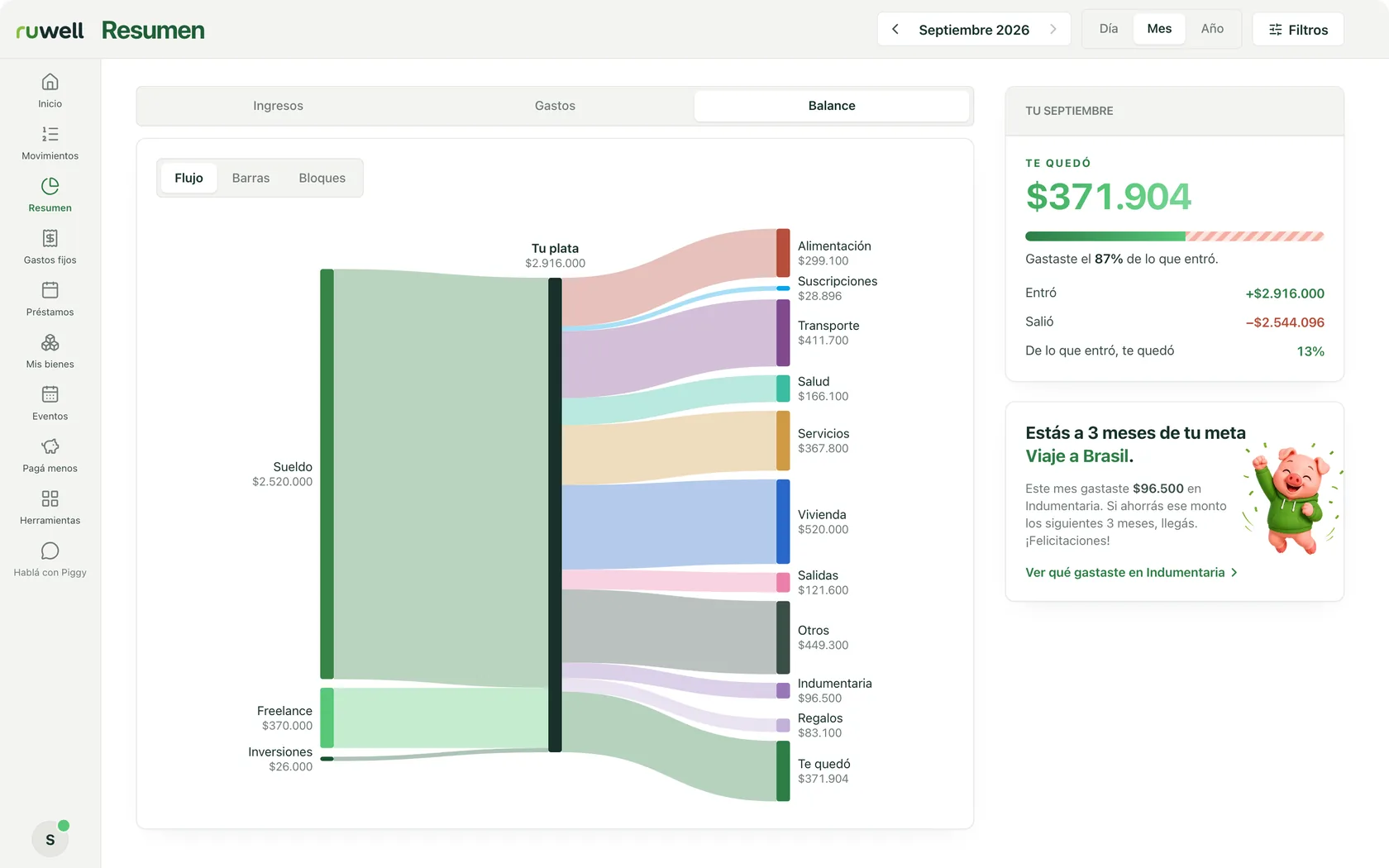
- The flow. Where your money came from and where it went.
- What you kept. How much was left, and what share of what came in.
- Your goal. Piggy tells you how far you are and how to get there.
-
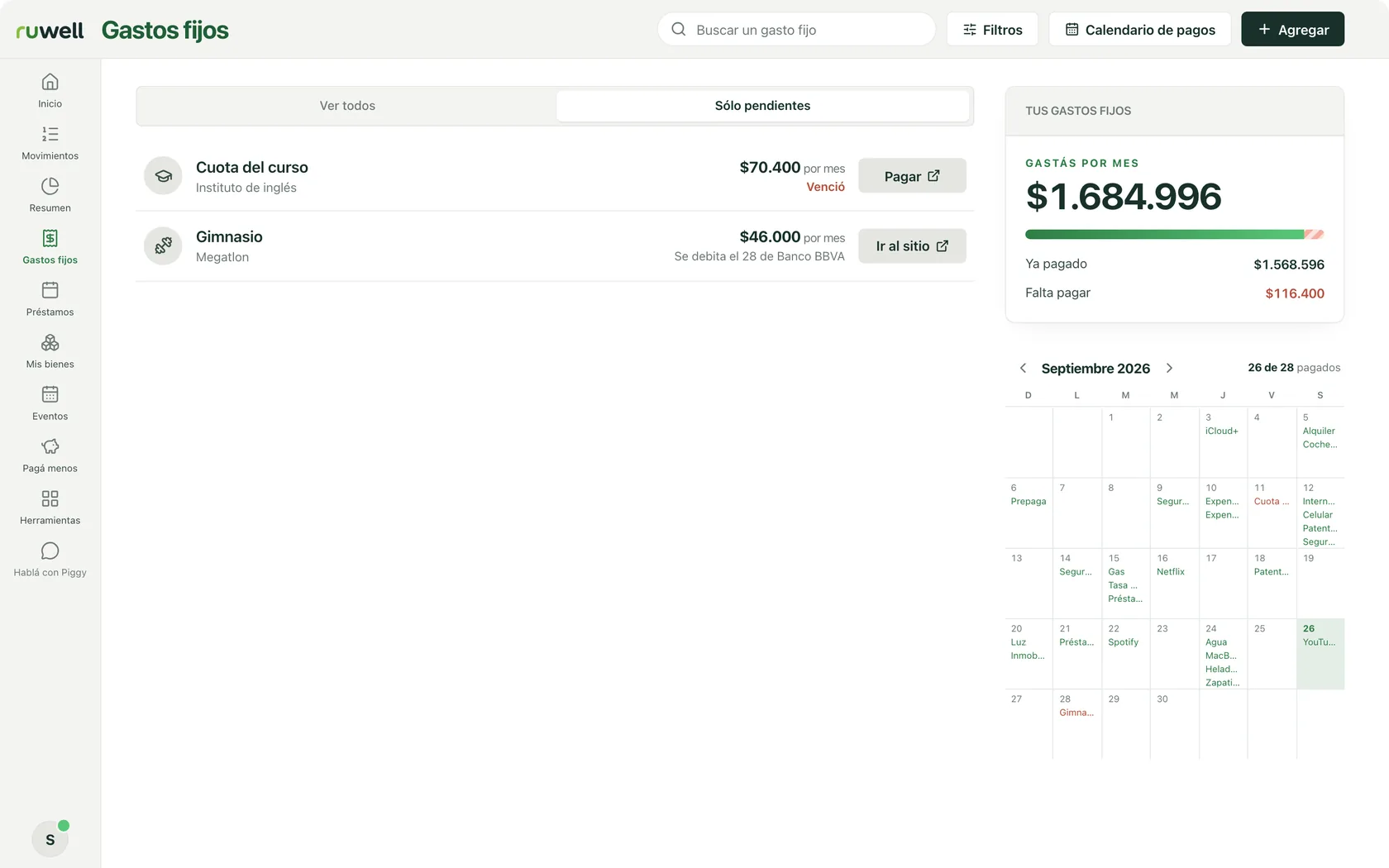
Fixed expenses
How much does my month cost?
See all
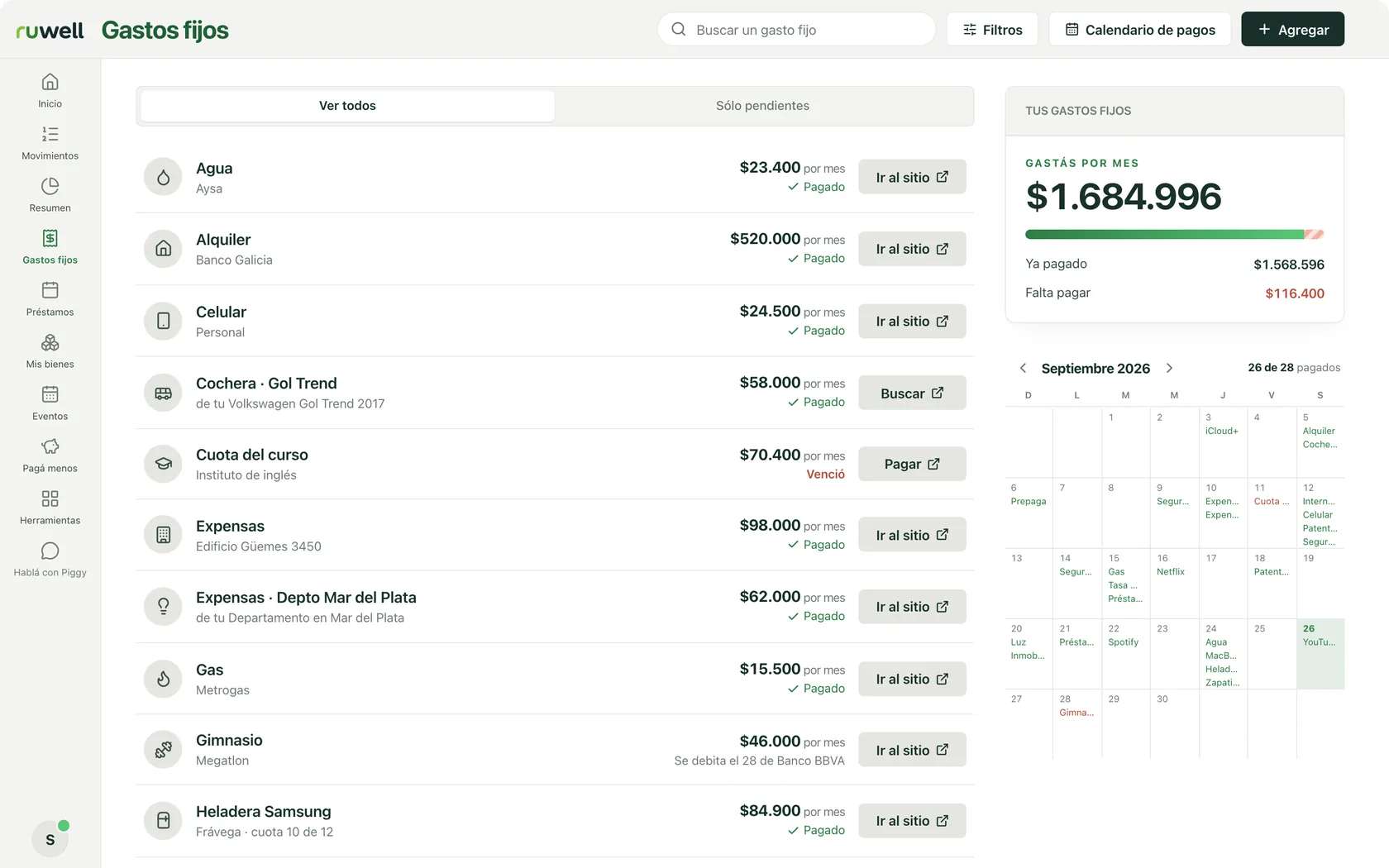
- All your fixed expenses. What each one costs per month, and whether you have paid it.
- You spend per month. What they add up to, how much you have paid and how much is left.
- Go and pay. Each one with its button to pay it or go to the site.
Pending only
- What is pending. What is still to pay, with a heads-up if it is overdue.
- Calendar. Every due date of the month, on its day.
-
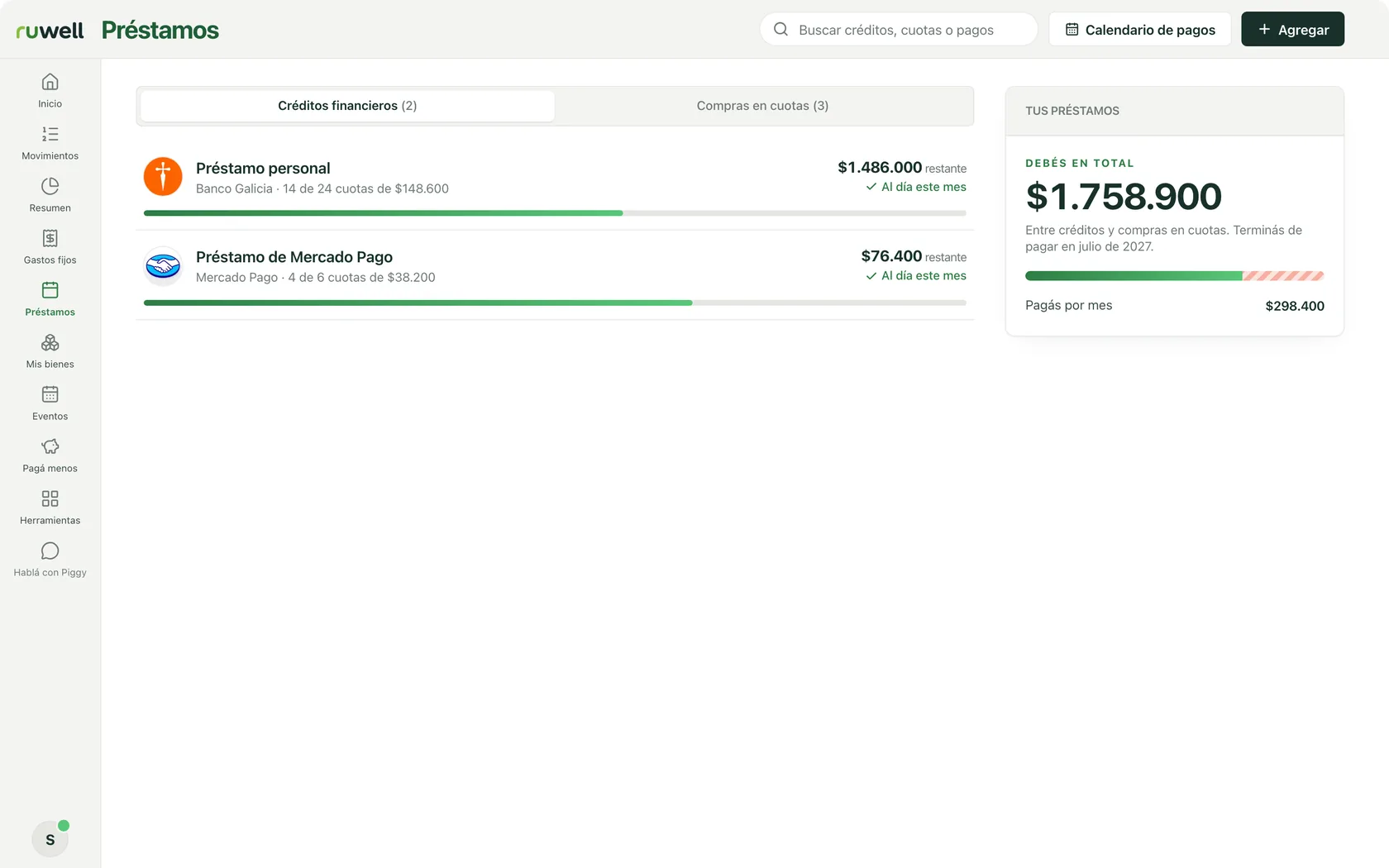
Loans
How much do I owe, and when will I be done?
Loans
- Each loan. With its bar: how many instalments are paid and how much is left.
- You owe in total. What you pay each month, and when you will finish paying.
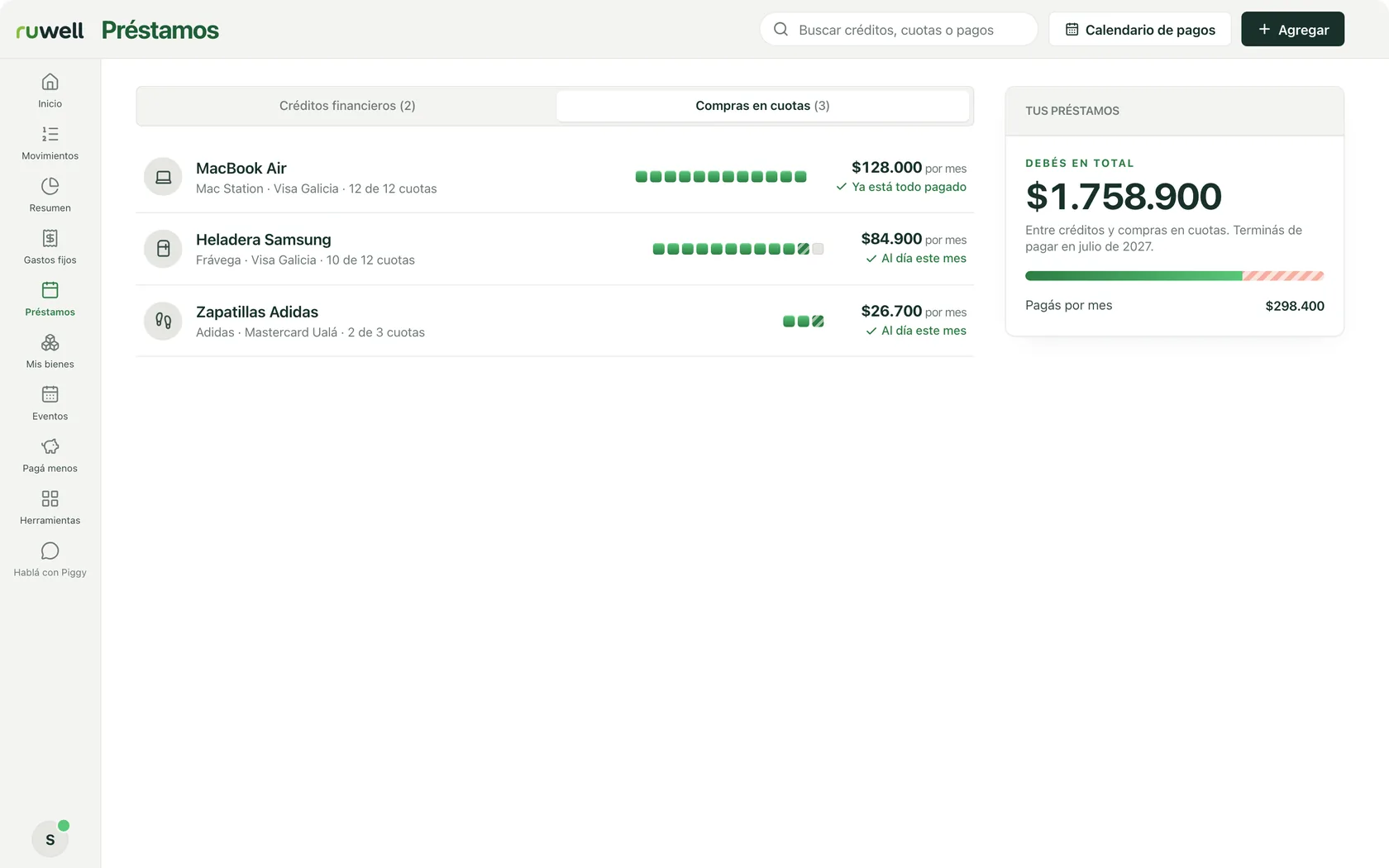
Instalment purchases
- Each purchase. Its instalments one by one: the paid ones, this month’s and the ones to come.
- Up to date. Whether you have paid this month’s instalment.
-
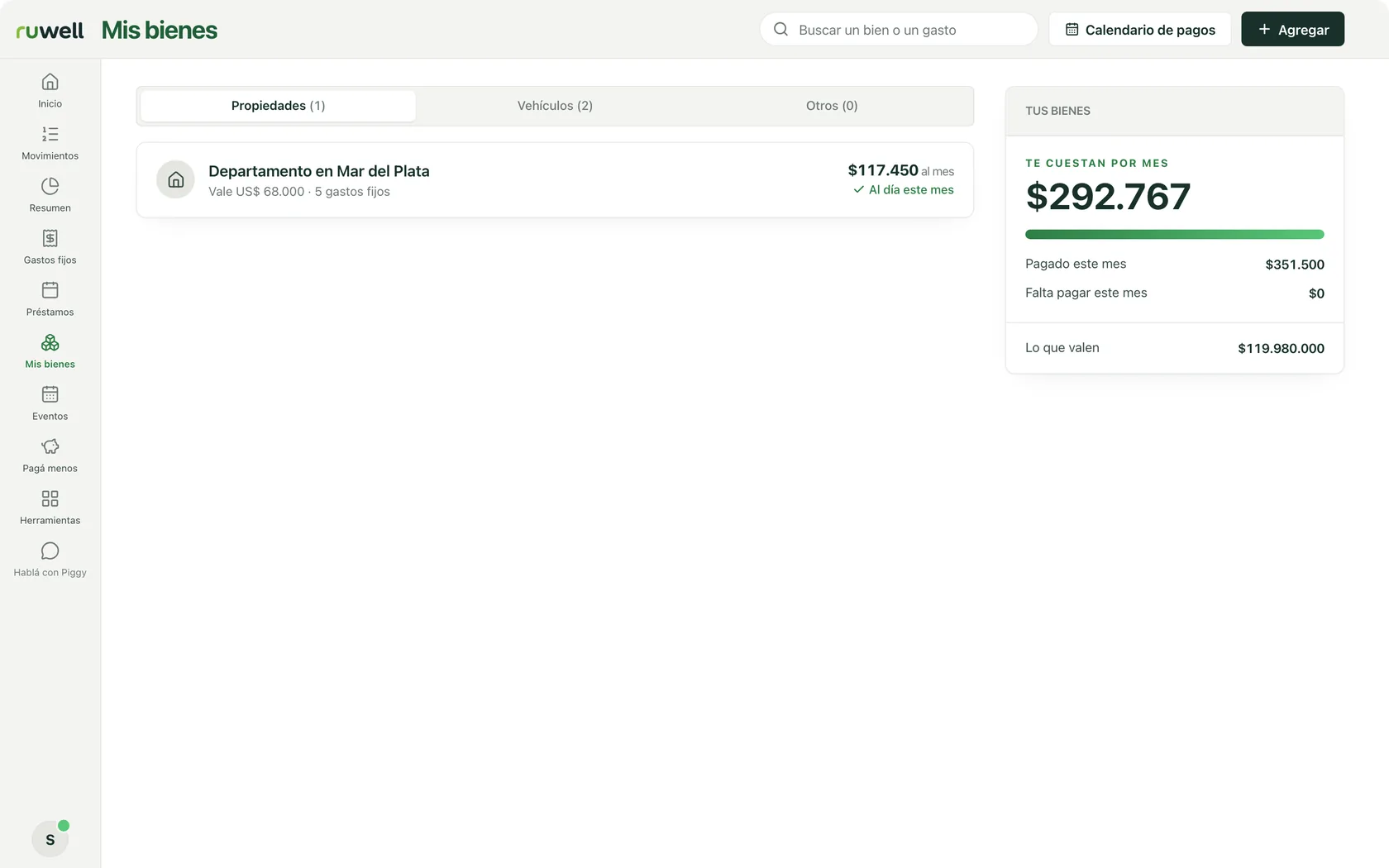
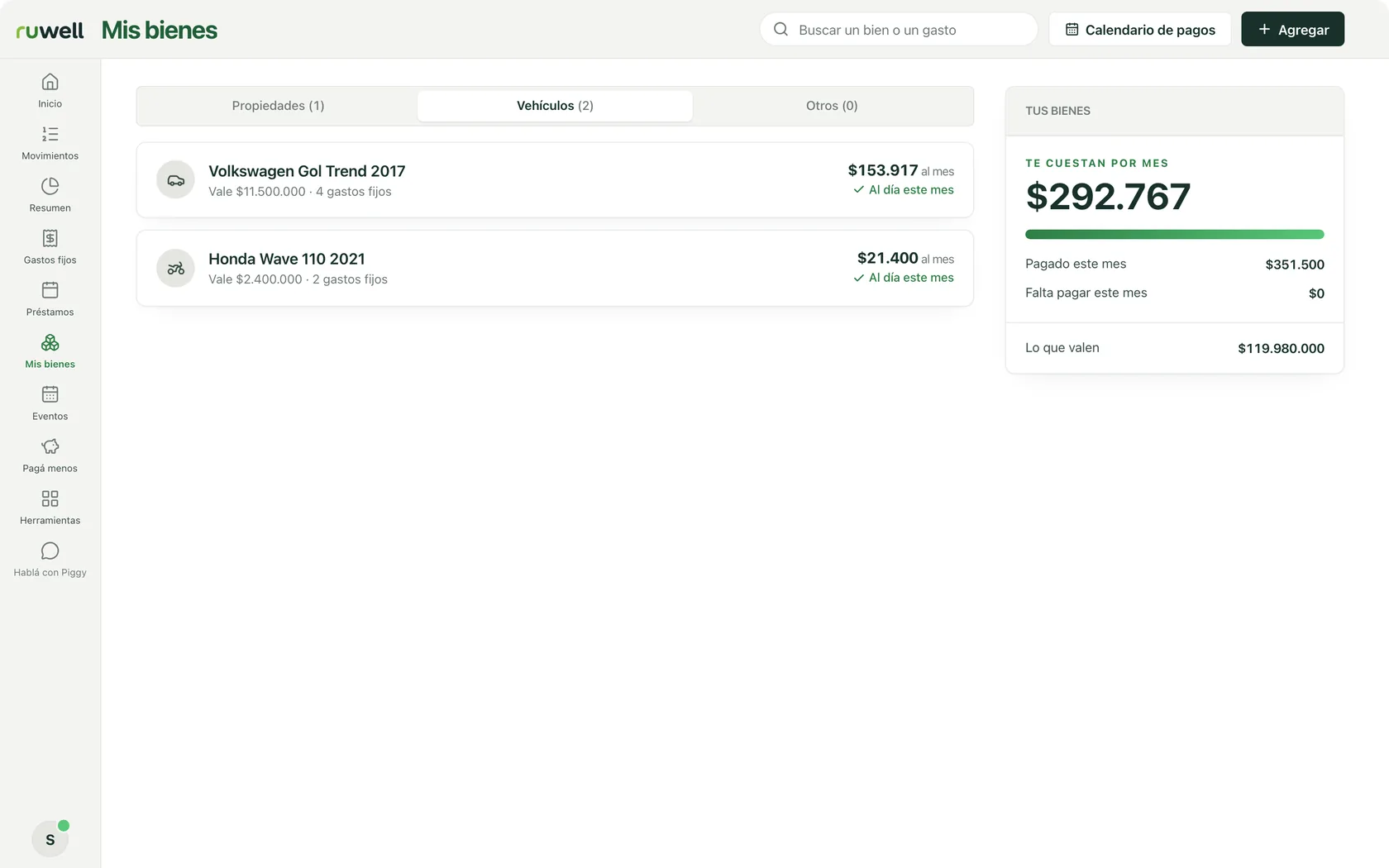
My assets
How much do my things cost me?
Property
- Each property. What it is worth and how many fixed expenses it brings.
- What they cost you each month. All your assets together, and what they are worth.
Vehicles
- Each vehicle. The car, the motorbike: what it is worth and what it costs you each month.
- Up to date. Whether this month’s costs are paid: insurance, road tax, parking.
-
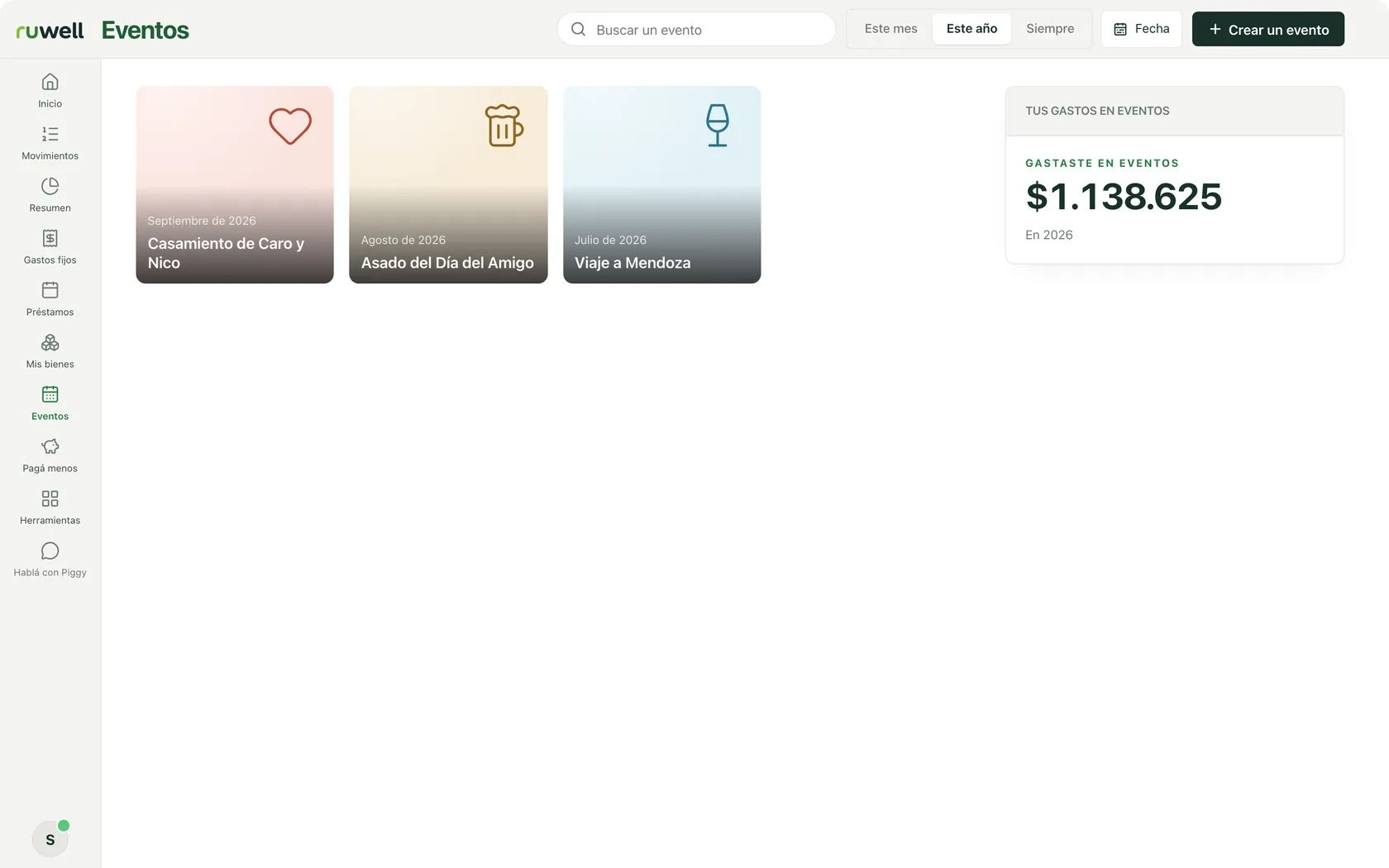
Events
How much did the trip cost me?
- Every event, saved. A trip, a wedding or a barbecue, with its expenses, so you remember how much it cost.
- Apart from the month. What goes on an event does not throw off the comparison with other months.
- A new one. Create one for what is coming up, and share it with whoever is going.
-
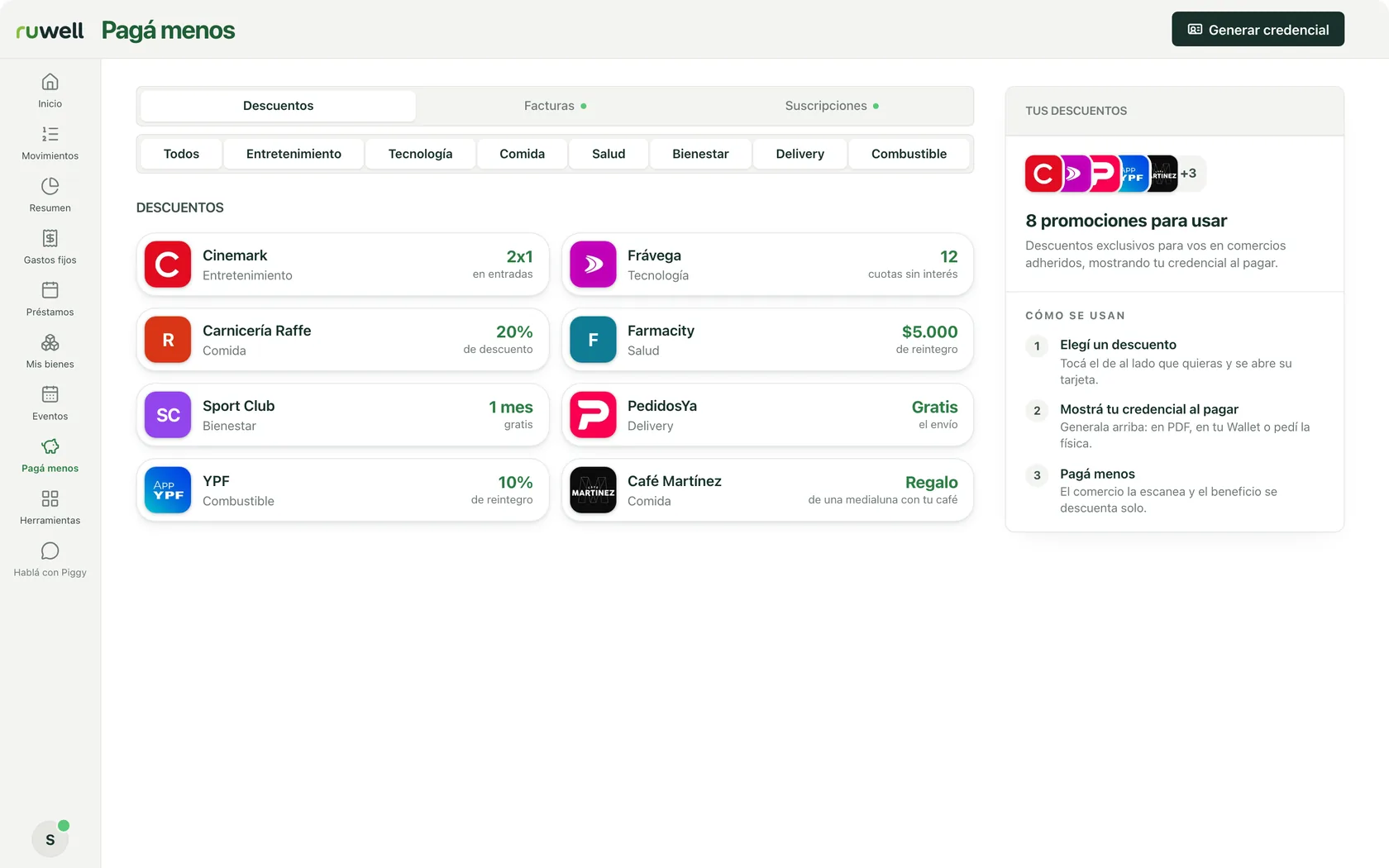
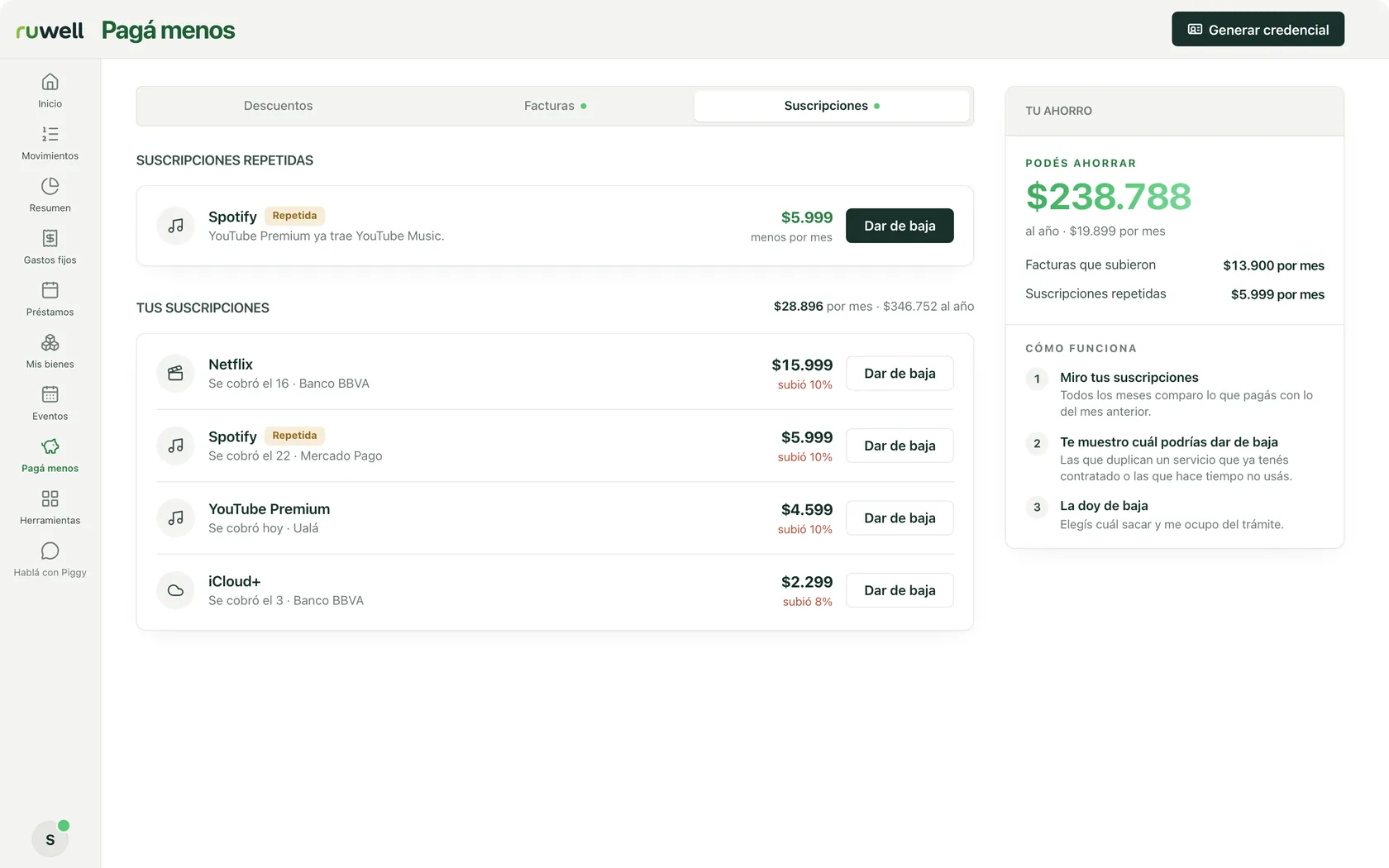
Pay less
Where can I pay less?
Discounts
- Discounts. At partner shops, by category: food, health, fuel and more.
- Your member card. Show it when you pay and the discount applies itself.
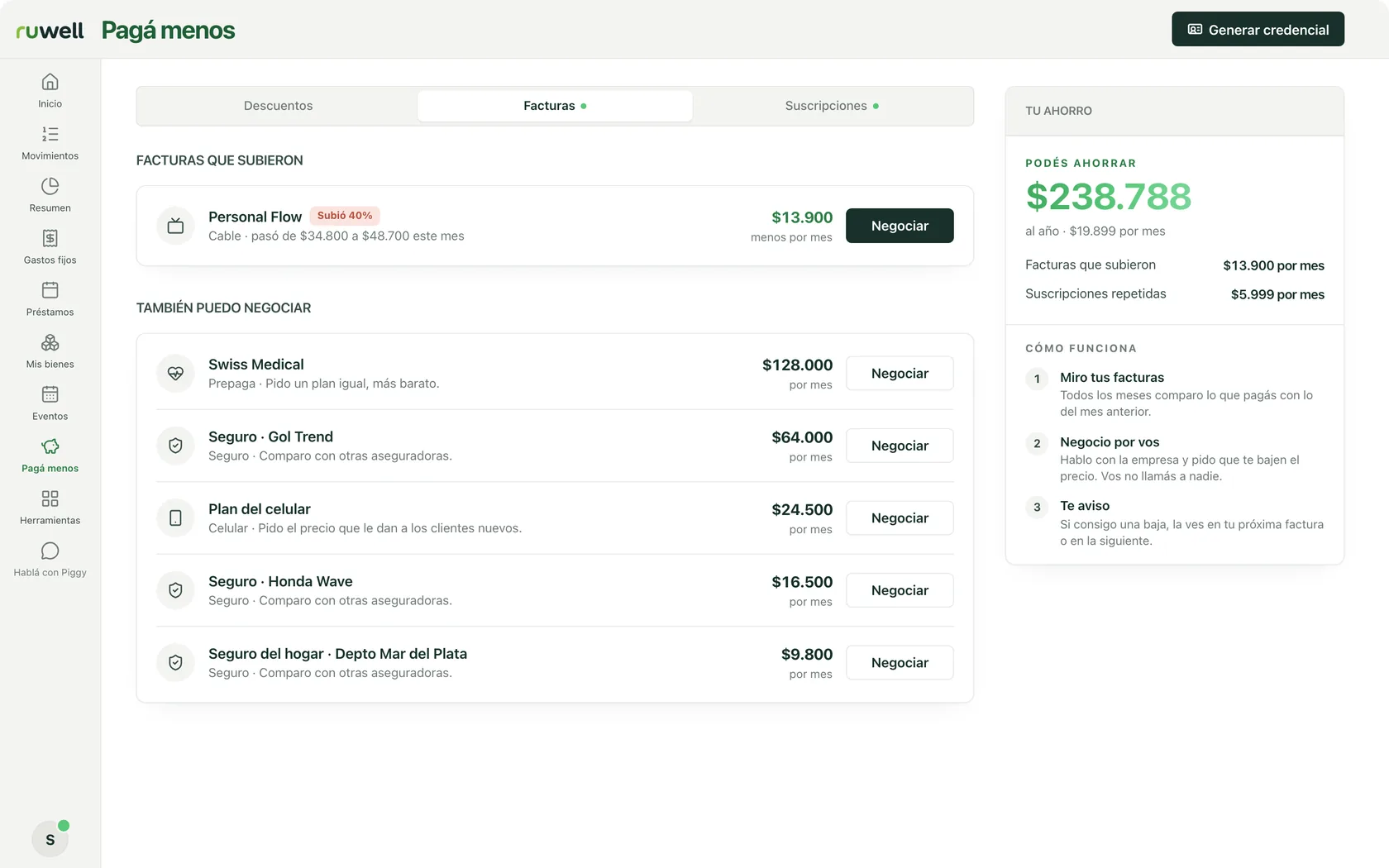
Bills
- Bills that went up. How much each one went up and how much you can save.
- It negotiates for you. Piggy asks for a better price and you do not call anyone.
Subscriptions
- The duplicates. If you pay twice for the same thing, it tells you.
- All your subscriptions. What they add up to per month and per year, and how much each one went up.
-
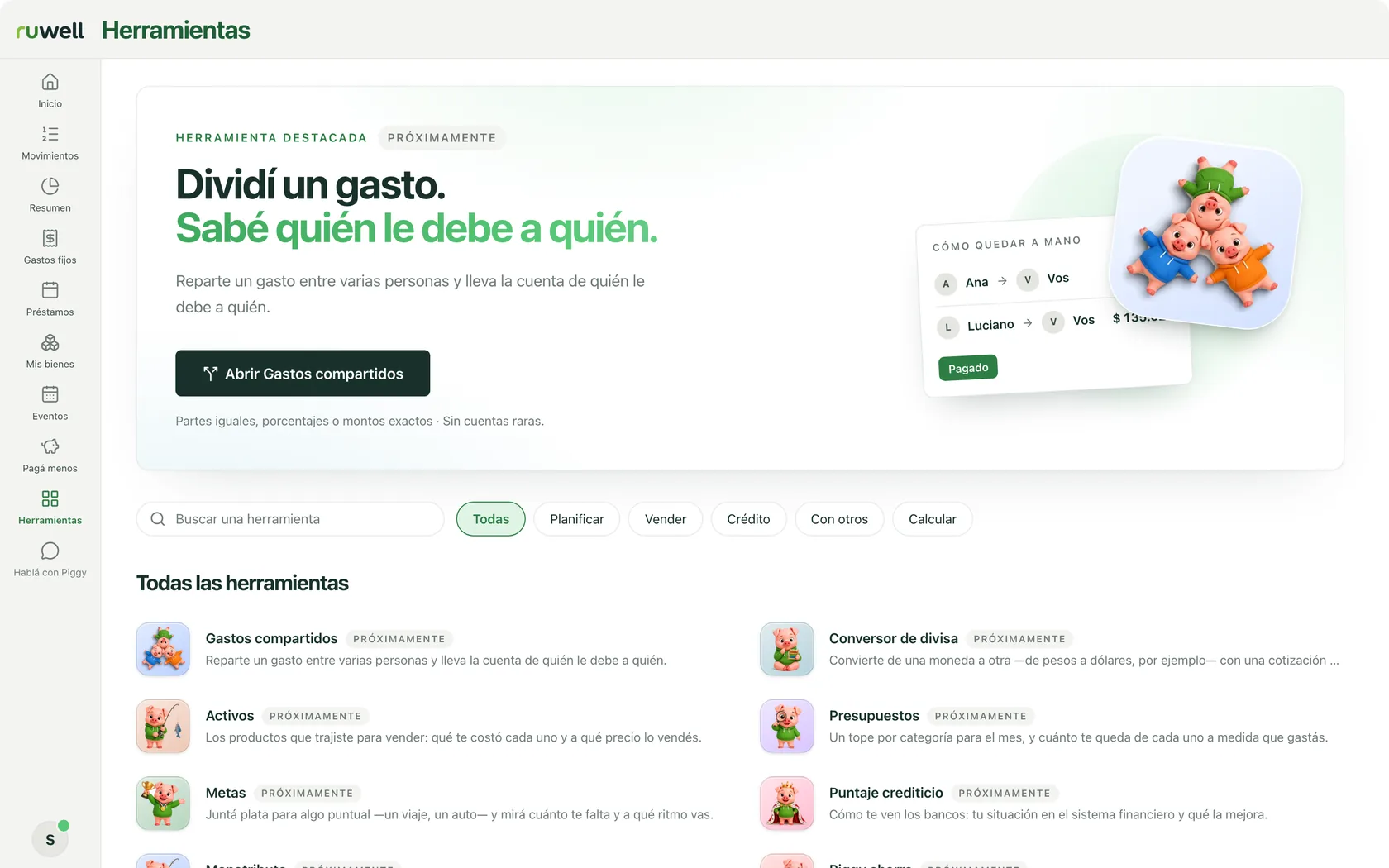
Tools Coming soon
How do I work this out?
- Shared expenses. Split an expense and know who owes whom.
- By topic. Find them by what you need: planning, selling or calculating.
- And more. A currency converter, budgets and goals, arriving one at a time.
-
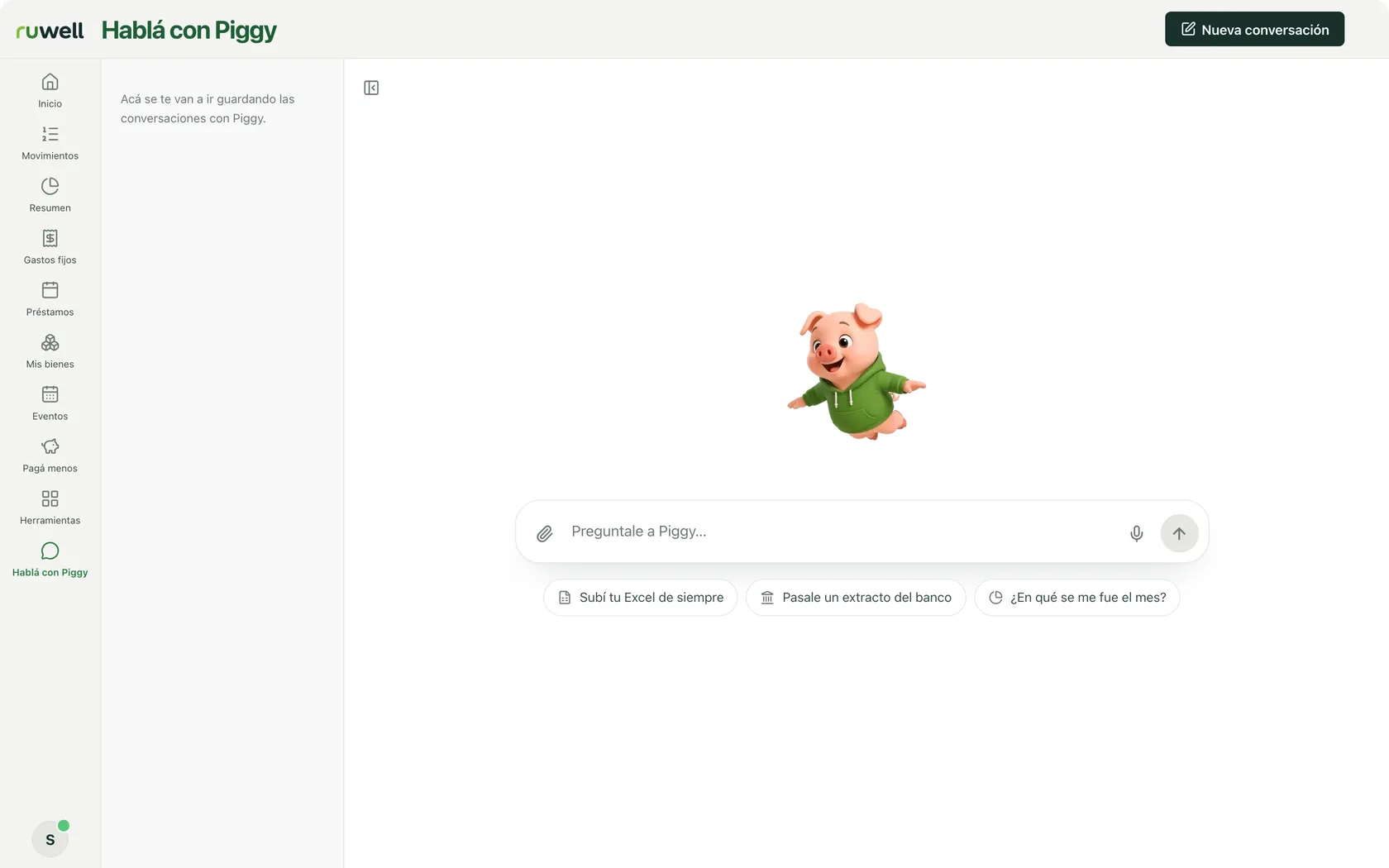
Talk to Piggy Coming soon
What if I just ask Piggy?
- Ask away. In your own words, the way you would ask a friend.
- Ideas to get started. Like “Where did my money go this month?”
- Your chats. They are saved so you can pick them up whenever you like.
Connect, upload or dictate
How your data gets in.
Connect once and your transactions come in on their own.
Choose where your money is and authorise the connection once. After that there's nothing to enter by hand: Ruwell reads and sorts what comes in and what goes out.
Upload the file. Piggy reads the fine print.
A photo of the receipt, an Excel file or your bank statement. Piggy recognises the items and also what the paper doesn't say: when you'll pay each instalment.

Say it however it comes to you. Ruwell sorts it out.
Press the mic, say what you spent in your own words and Ruwell fills in the amount, category and account. You don't have to talk to it in any special way. And if you'd rather, you can type it in yourself.
